An AI workflow can pass every technical test and still fail, because people do not trust it, do not understand what it did, or cannot fix it when it is wrong. As a product manager you own those outcomes. The UX of an AI workflow is mostly about one thing: giving people the right amount of control at the right moment.
Nine principles
- Set expectations early. Say what the AI does, what it does not do and how reliable it is, in plain language, before the first use.
- Show the work. Display sources, the steps taken and the data used, so people can check instead of just believe.
- Put approval where the risk is. Reading and drafting can be automatic. Sending, paying, deleting and publishing need a clear review step.
- Make correction easy. One click to edit, reject or undo. A wrong answer that is easy to fix is a minor annoyance; one that is hard to fix ends adoption.
- Handle failure gracefully. Say when the AI is unsure or cannot do something, and offer the manual route instead of a confident guess.
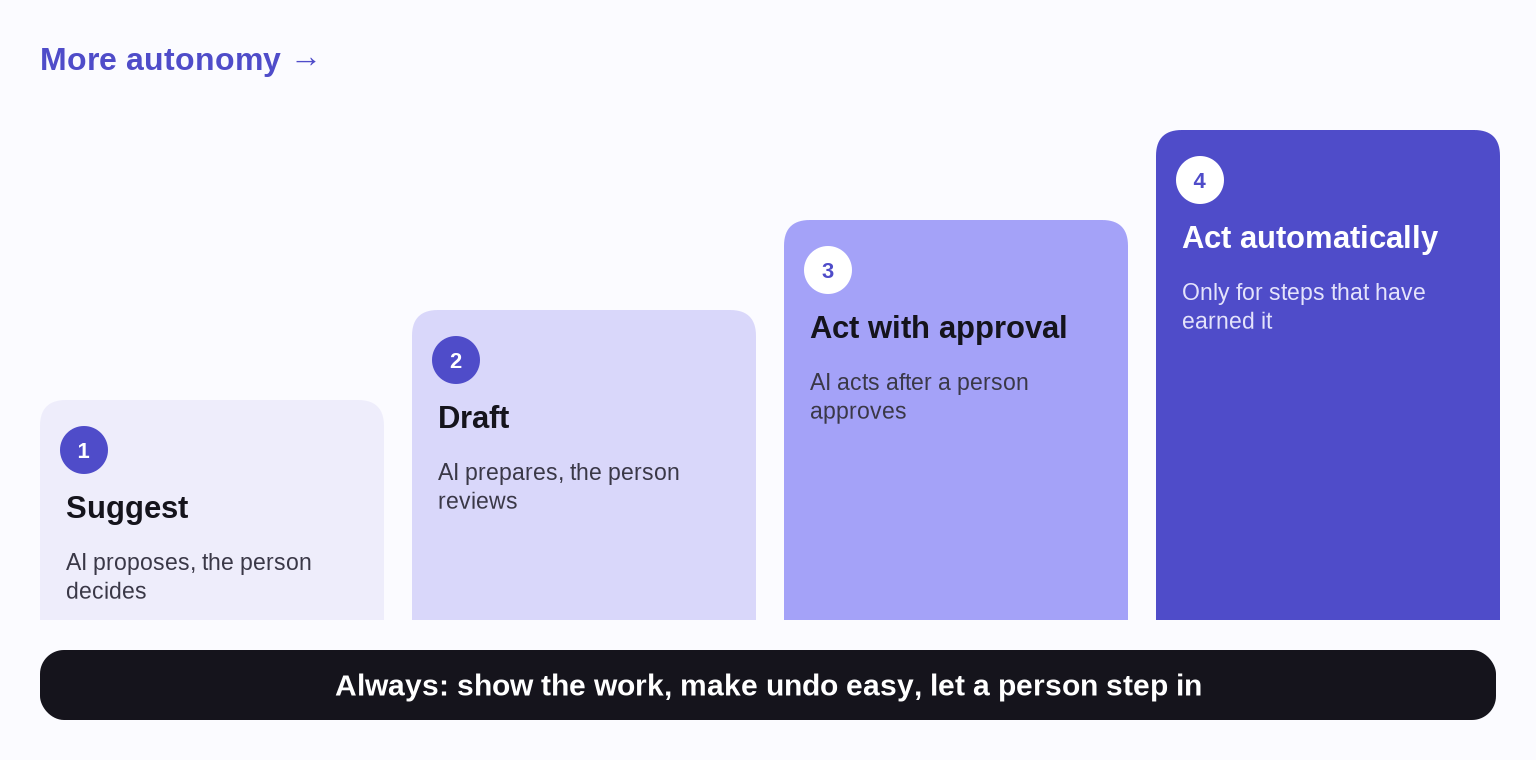
- Give progressive autonomy. Let teams start with suggestions, move to approved actions and allow automation only for steps that have earned it.
- Keep the human in the flow. Fit into the tools and screens people already use instead of a separate AI page.
- Explain changes. When a model, rule or behaviour changes, tell users what is different.
- Close the loop. Capture corrections and feedback, and show that they lead to improvements.
Design the workflow, not the screen
Start by mapping the process as it runs today: who does what, with which systems and where it goes wrong. Then mark each step as automatic, reviewed or human. The agent's job and the human's job should be explicit, and so should the hand-offs between them. Most failures hide in a hand-off.
A product manager's checklist
| Question | Why it matters |
|---|---|
| Who owns this workflow and the agent? | Accountability when something goes wrong |
| What is the worst thing it can do, and who must approve that? | Sets the approval points |
| How does a user see why it answered as it did? | Trust and faster review |
| How does a user correct it, and where does the correction go? | Adoption and improvement |
| What happens when it is unsure, slow or down? | Fallbacks and honest behaviour |
| What did we agree to measure before launch? | Proof of value |
Metrics that tell you it works
- Task success rate and time to complete, compared with the manual baseline.
- Override and correction rate: too high means low quality, too low may mean people stopped checking.
- Adoption: the share of eligible users who use it each week, and keep using it.
- Escalations to a person, and how quickly they are resolved.
We run role-based training for product managers, designers and delivery leads, built around your own workflows. If you want to try the method on a real process, request a demo or book a discovery call.